SOCKS5 Proxy on ASUS Routers
2025/11/17
Tired of installing and turning on/off proxy apps on every of your device? Here is a cleaner solution: set up a SOCKS5 proxy directly on your ASUS router to bypass firewall restrictions for your whole network.
Preparations
To follow this tutorial, you will need
- An ASUS router (e.g., RT-AC68U or RT-AC88U);
- A valid proxy server configuration;
- A device connected to your router that can access the router’s web portal.
Steps
Step 1: Install the Merlin Firmware
First, download the latest Merlin firmware for your router from CoolCenter.
Open your browser and connect to the router’s admin portal, usually available at 192.168.50.1 or 192.168.1.1.
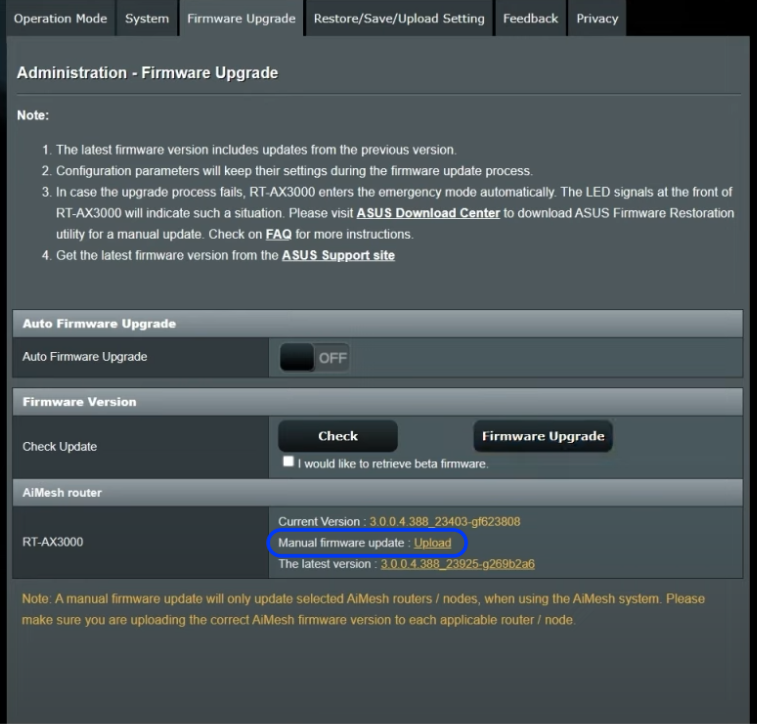
Navigate to Administration → Firmware Upgrade.
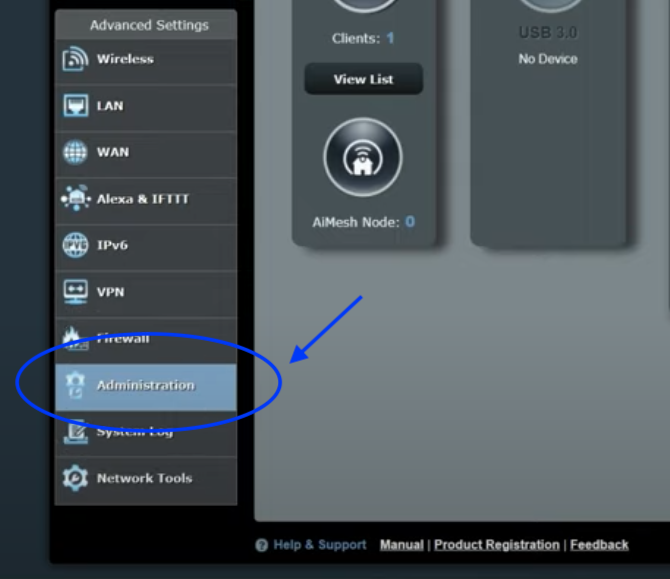
Manually upload the Merlin firmware file you downloaded.
Once the router reboots, log in again and confirm that the firmware version now shows Merlin.
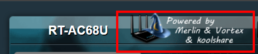
Step 2: Install the Proxy Plugin
Download the appropriate proxy plugin for your router from the fancyss GitHub repository. The Lite version is usually sufficient.
Return to the router’s web portal. Go to Administration → System Settings, and ensure that JFFS is enabled.
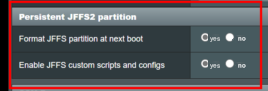
Then go to Software Center → Advanced Settings and upload the proxy plugin file.

After installation, the new proxy tool will appear in the Software Center with an icon similar to Shadowsocks. Open it, enter your proxy credentials, and you are all set.